How to Download Music on iPhone in iOS 13
If you want to download music directly on your iPhone, you are in the right place. Please be reminded that this tutorial is only for those who have updated to iOS 13. Now let’s start!
STEPS IN DOWNLOADING MUSIC
One. Be specific with your downloads destination folder.
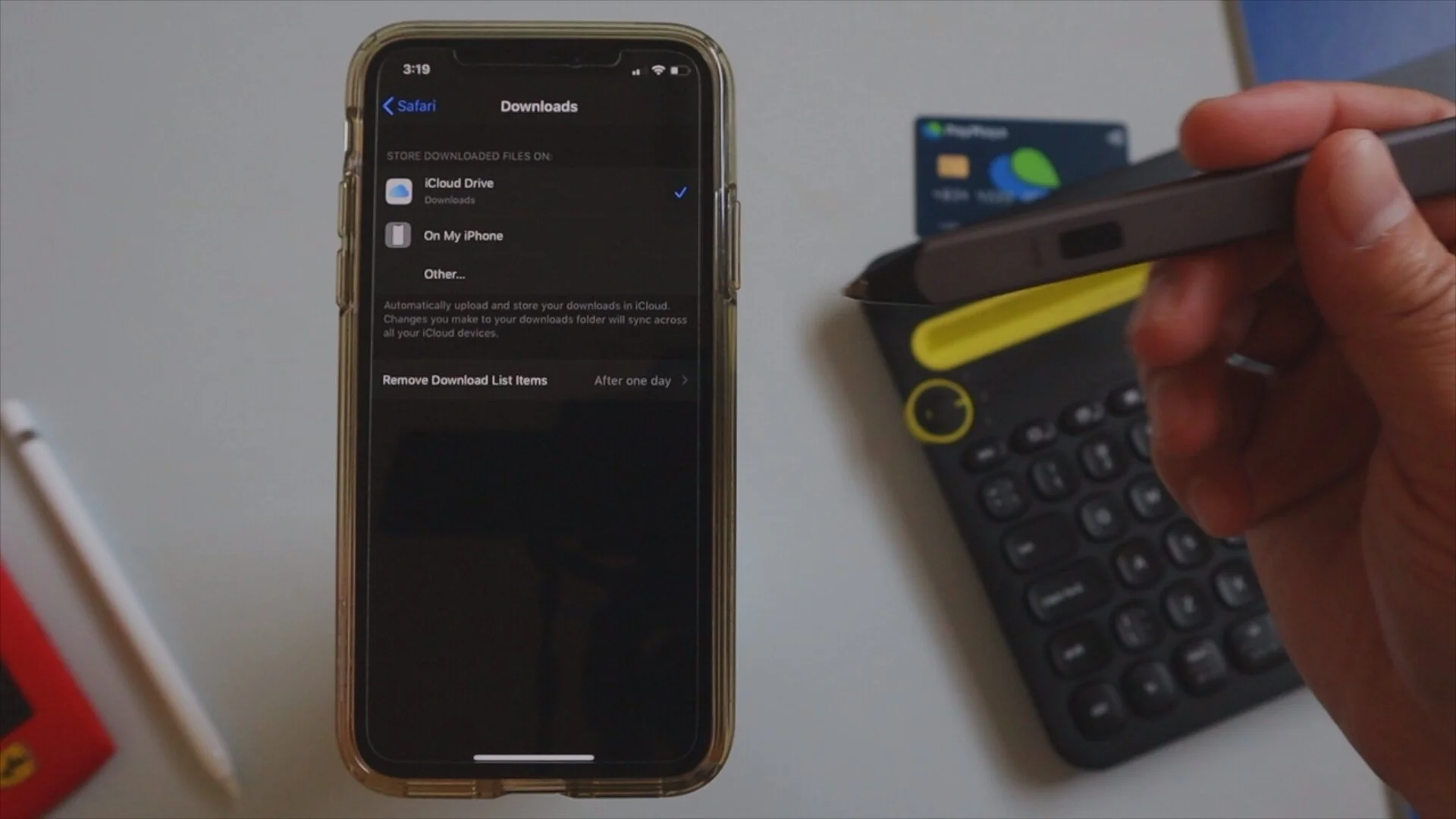
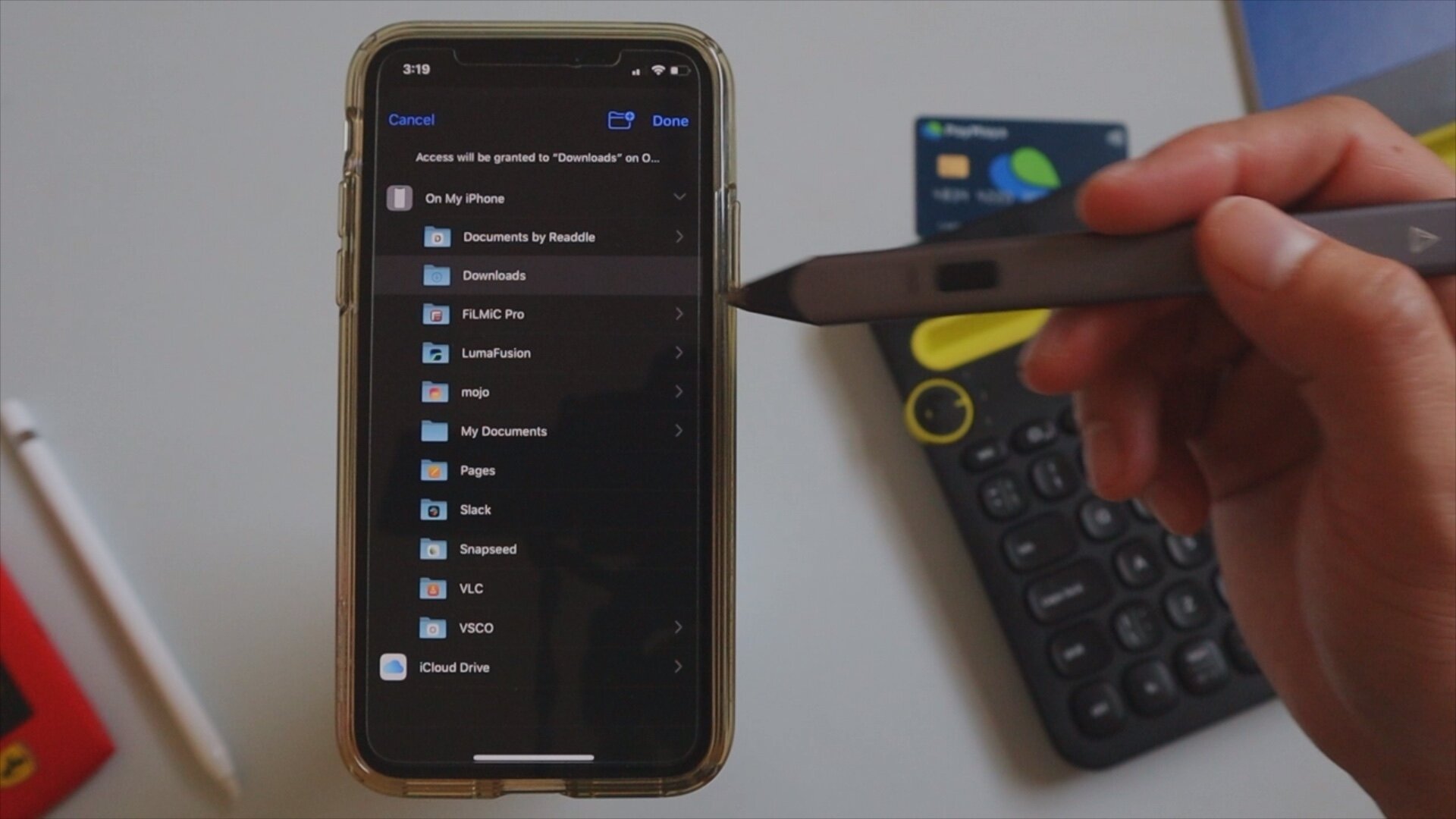
We do not want to be unorganized with our files in our device so we must be specific with our downloads folder. To do this we have to go to Settings > Safari > Downloads and pick from On My iPhone or iCloud Drive. You can place the downloads in any of the two options and be more specific with your folders by hitting on “Other” and pick your downloads destination folder.
Two. Get free or non-copyrighted music links from youtube
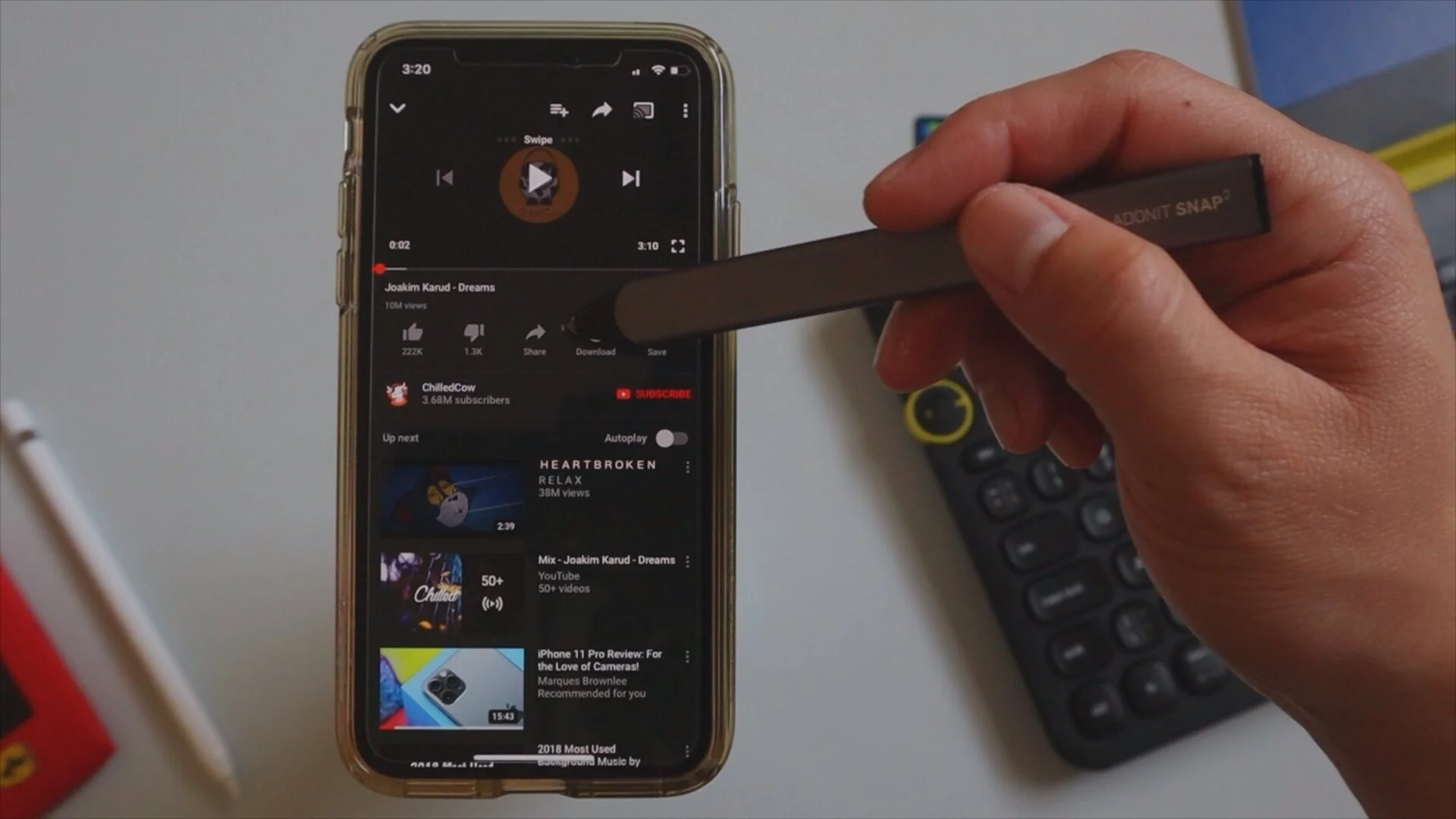
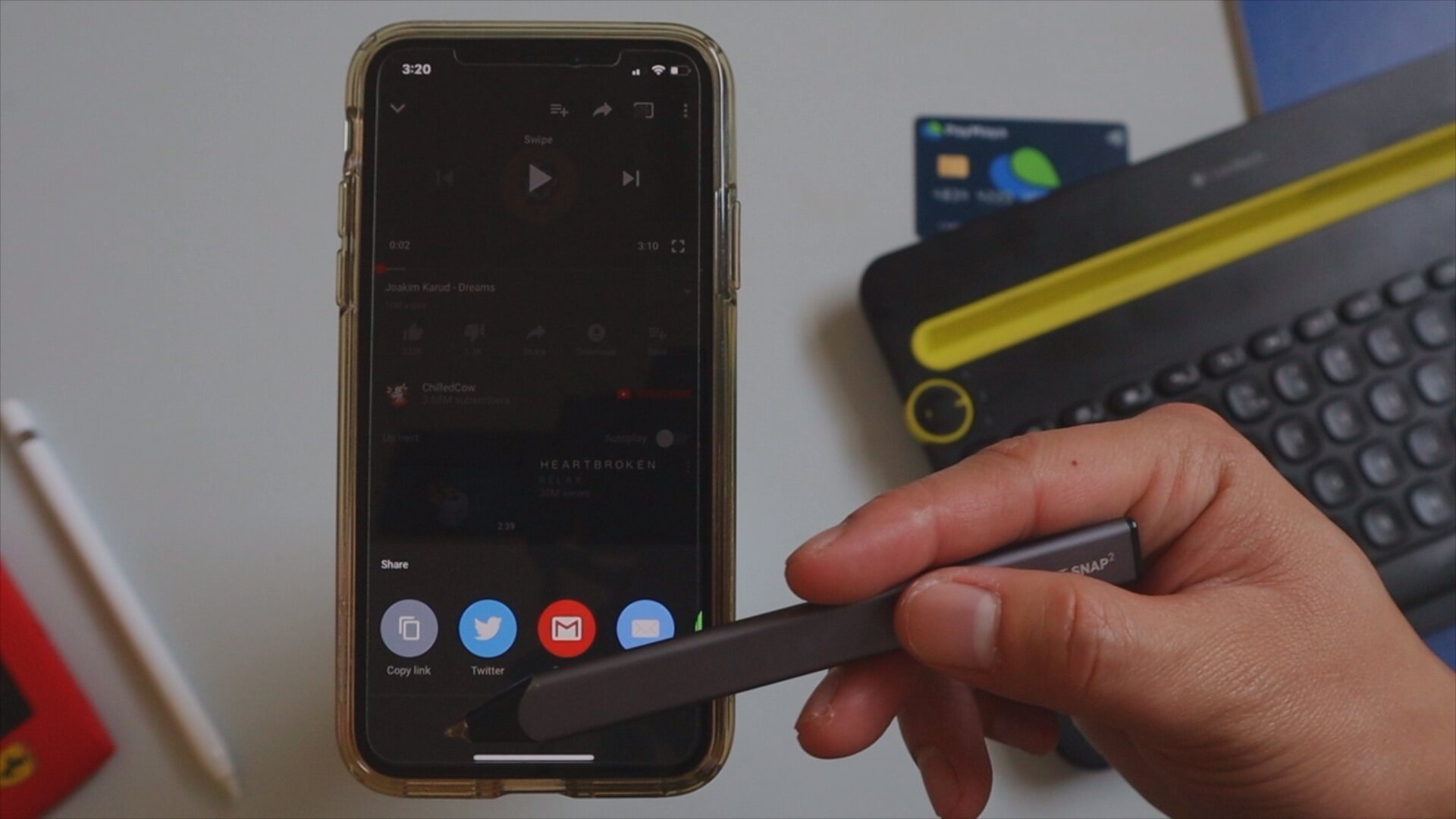
I have to stress that only download music that are free on non-copyrighted. You can find numerous artist that allows free downloads of their contents with proper usage. Just go to the Youtube app, click on a specific video, hit “share” below the video and click on “copy link”.
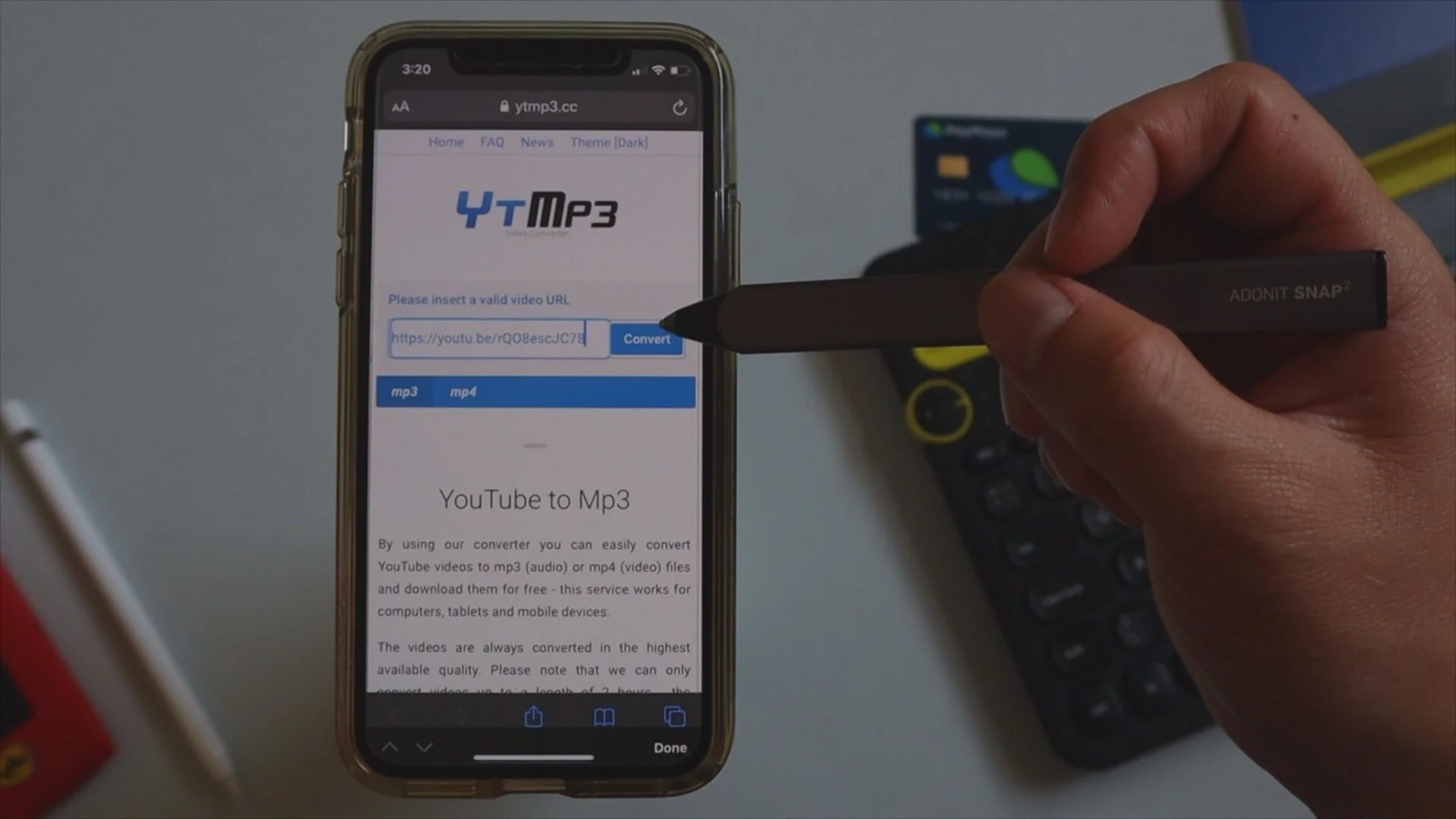
Three. Open a youtube to mp3 converter online in safari
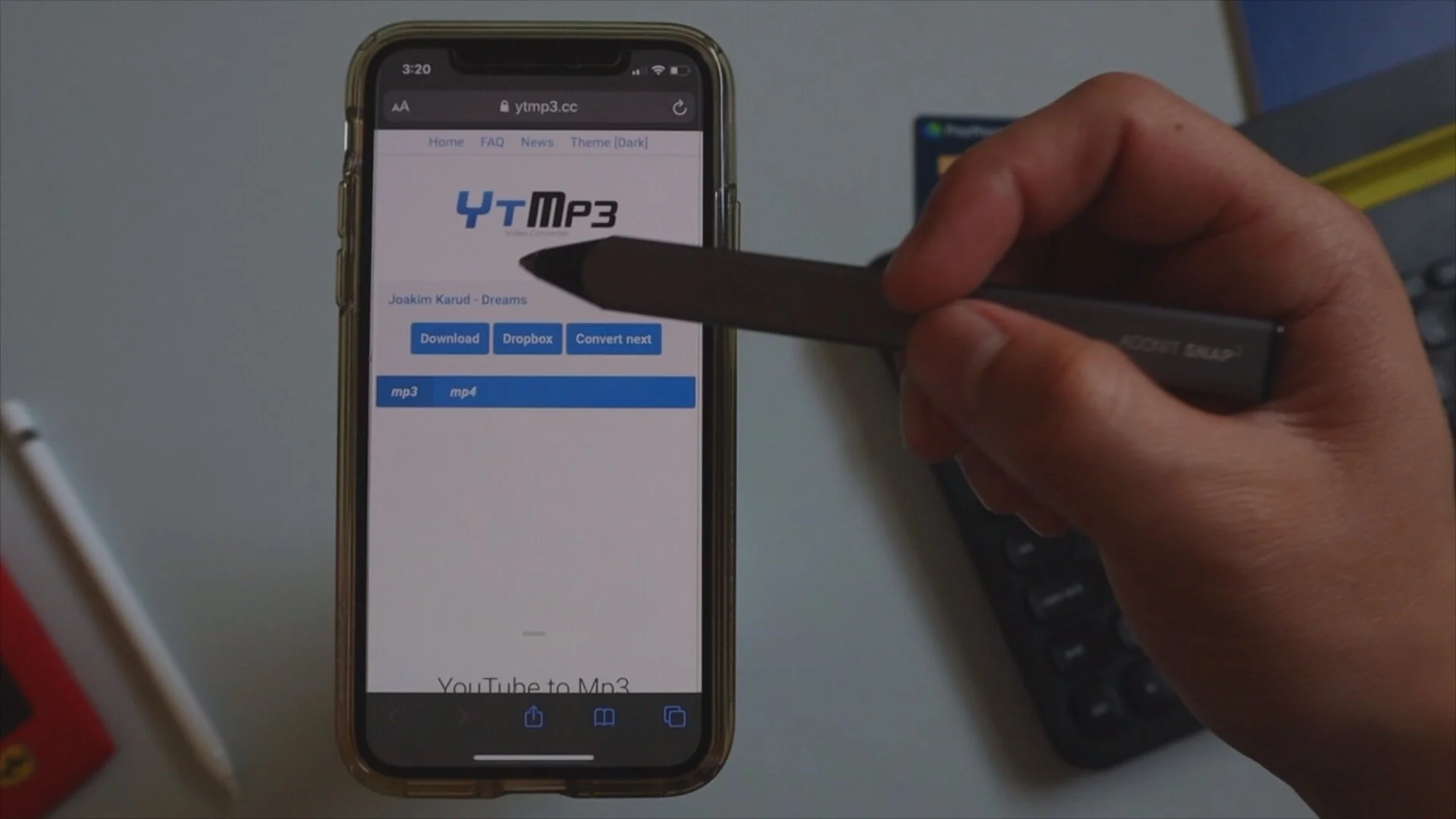
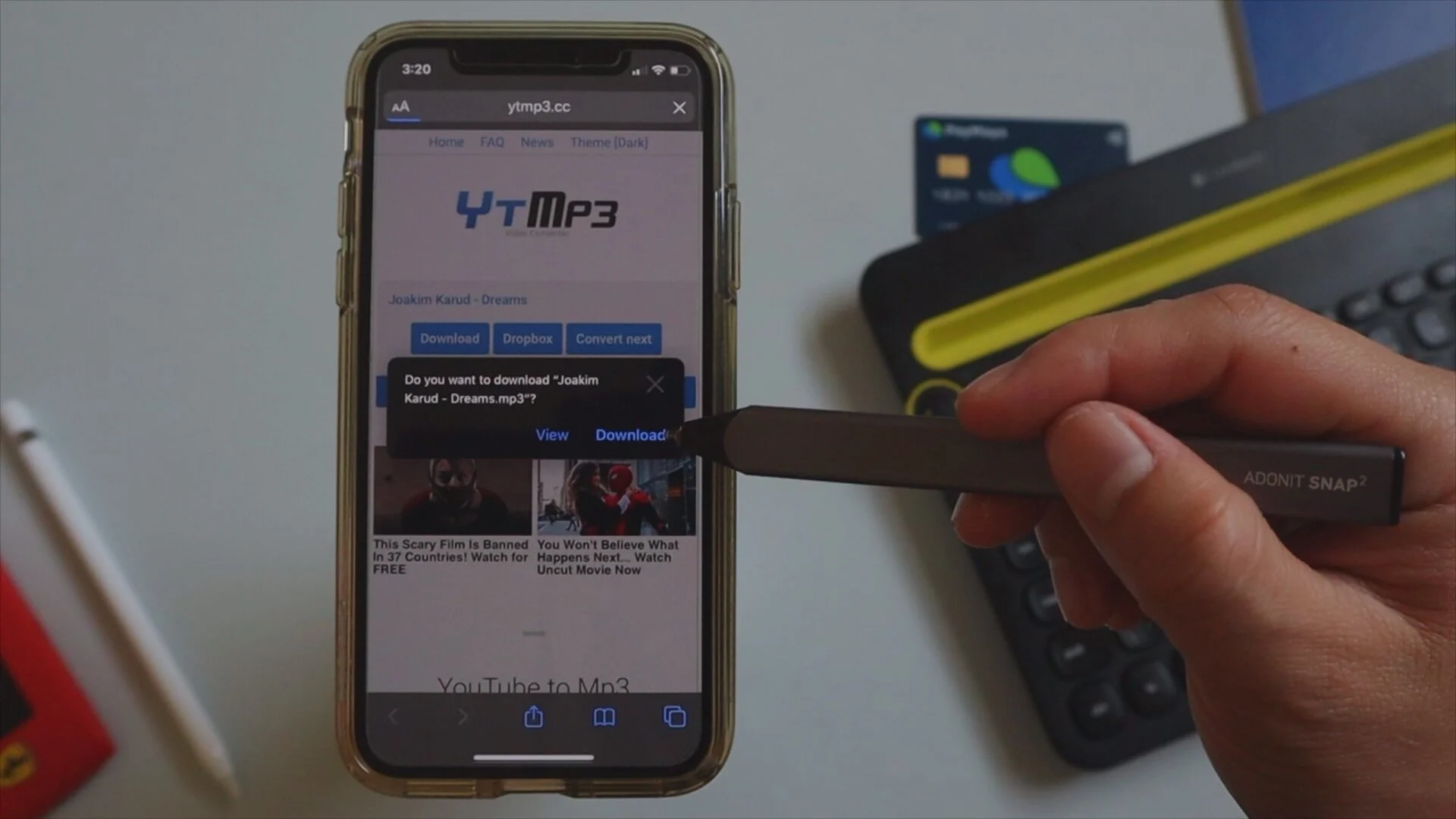
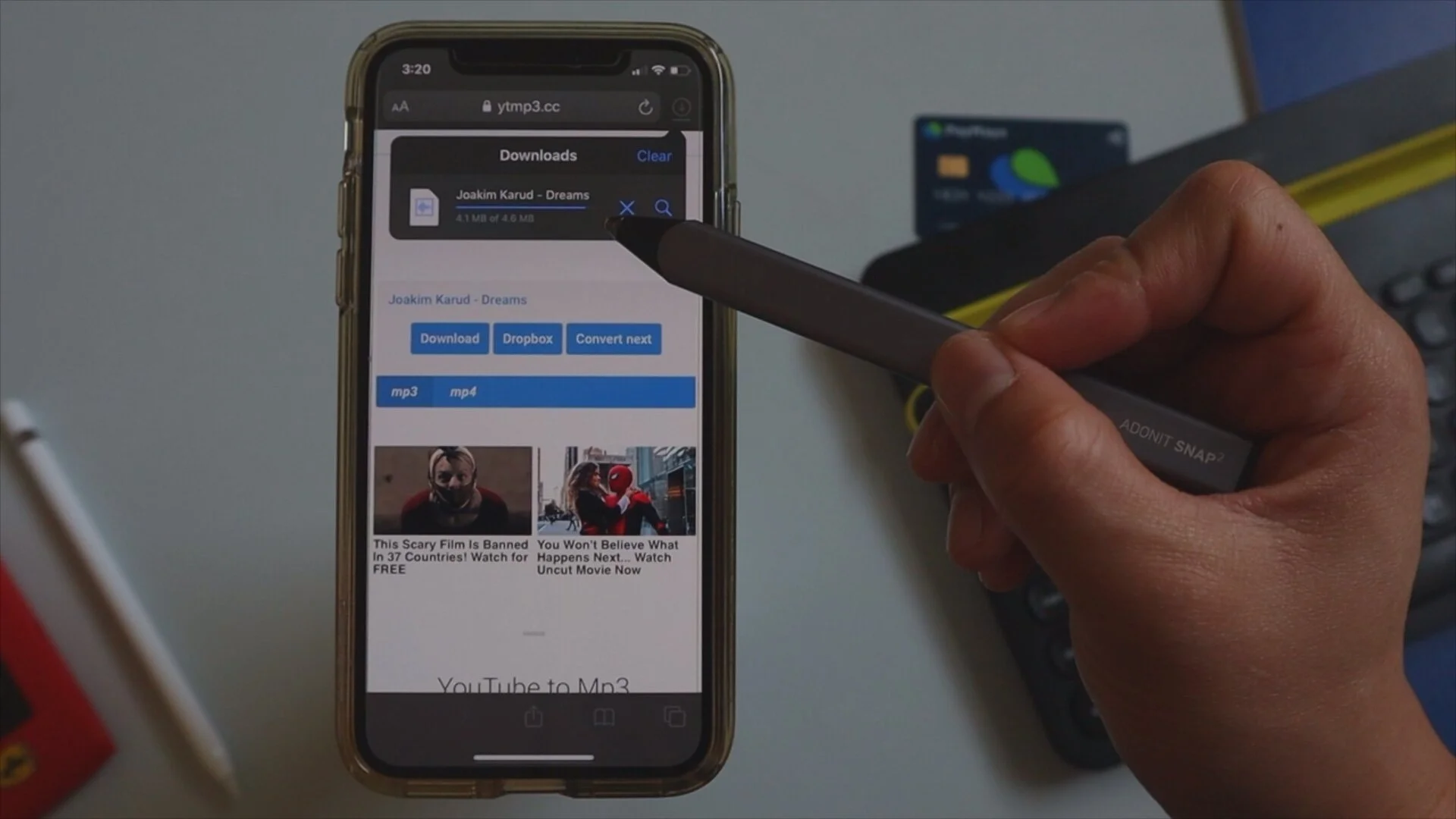
After copying the link from Youtube go to > www.ytmp3.cc and paste the copied link on the text box next to the “Convert” button. After pasting the link just hit on “Convert” then hit on “Download”. A pop-up will appear then click “Download”. To know the status of your download, click the icon next to the address bar.
Four. Locate your downloaded audio file in the files app.
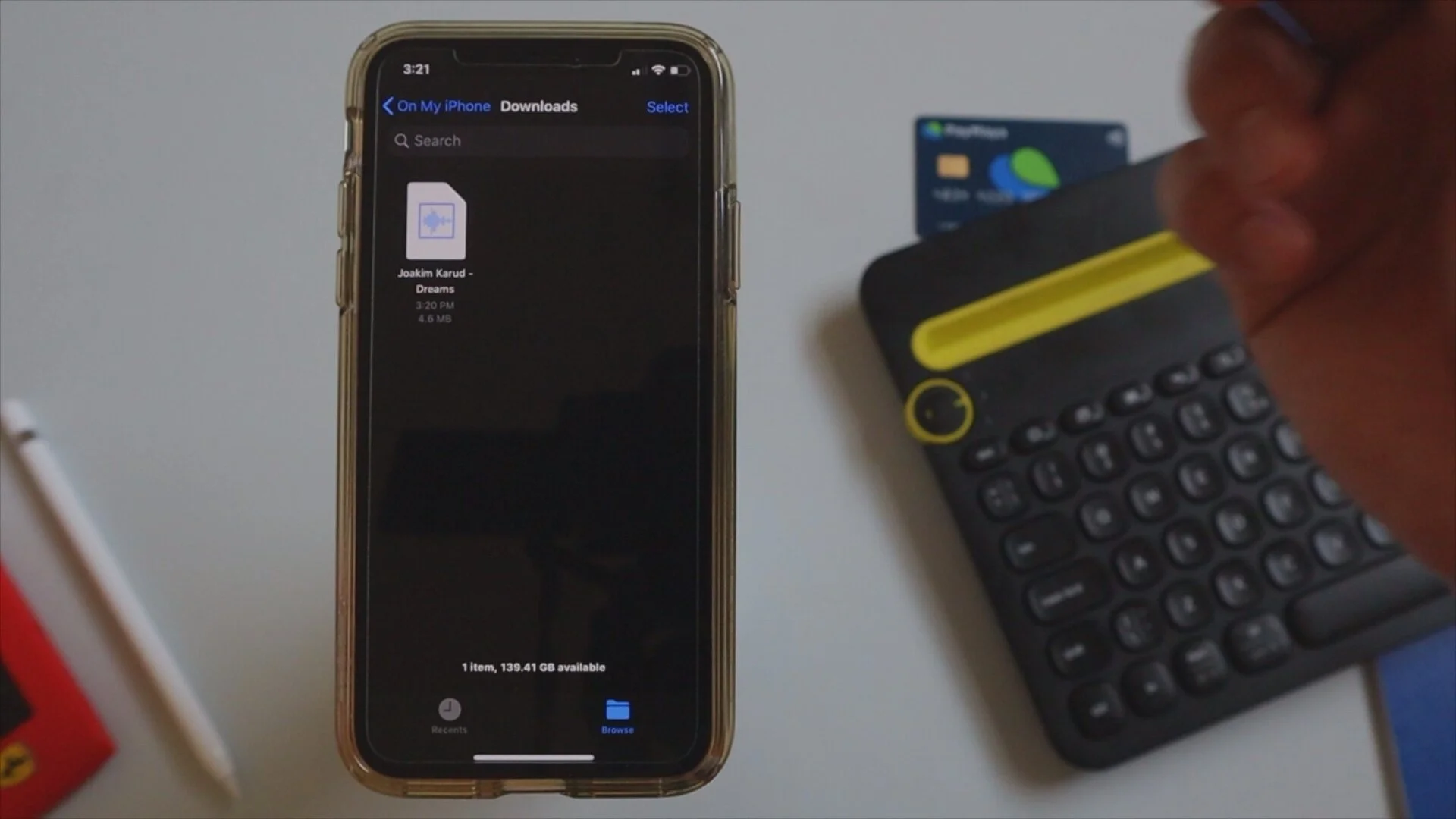
After downloading the audio file, you can locate this inside the Files app by going to your specified downloads destination folder. You may play this directly from the Files app or transfer them to other music player like EverMusic. Just a disclaimer, the Files app does not allow you to play music continuously so an app like EverMusic will be helpful. I will walk you through this said app on my next blog post.
I hope this tutorial helped you in one way or another. How did you find it? Was it easy? Let me know on the comment section below. If you might want to see a video tutorial just click this link for my Youtube video. What tutorials would you like me to feature next?